What is Google Android
Android is a software stack for mobile devices that includes an operating system, middleware and key applications. This early look at the Android SDK provides the tools and APIs necessary to begin developing applications on the Android platform using the Java programming language.
Android Features:
- Application framework enabling reuse and replacement of components
- Dalvik virtual machine optimized for mobile devices
- Integrated browser based on the open source WebKit engine
- Optimized graphics powered by a custom 2D graphics library; 3D graphics based on the OpenGL ES 1.0 specification (hardware acceleration optional)
- SQLite for structured data storage
- Media support for common audio, video, and still image formats (MPEG4, H.264, MP3, AAC, AMR, JPG, PNG, GIF)
- GSM Telephony (hardware dependent)
- Bluetooth, EDGE, 3G, and WiFi (hardware dependent)
- Camera, GPS, compass, and accelerometer (hardware dependent)
- Rich development environment including a device emulator, tools for debugging, memory and performance profiling, and a plugin for the Eclipse IDE
Source: http://code.google.com/android/what-is-android.html
Android Presentation Video #1
Android Presentation Video #2
Google Android Explained
"Google's open platform could benefit the wireless industry, but the 3G issue may slow adoption. Also, while more than 30 industry heavyweights are partnering with Google, Apple will not be participating." ( http://www.youtube.com/watch?v=lWJ9xW4Wm-k )
Keep your Microsoft Office Documents in Sync with Google Docs
If you work on both Google Docs and Microsoft Office simultaneously, you can get a little problem if you want to keep your documents in sync. Imagine, you edited a Excel document in your personal Computer using Microsoft Office but did not upload the changes to Google Docs which still has the old version.
DocSyncer, a free utility automatically uploads your Word, Excel and PowerPoint files to Google Docs. It then keeps a watch on our local folders and if it finds anything new, that is pushed to Google Docs.
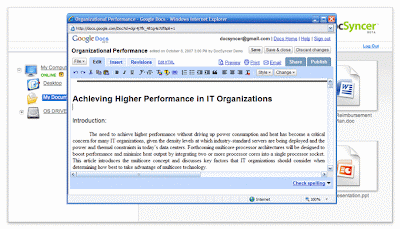
DocSyncer is in invite-only. It can also be used as a bulk uploader for Google Docs more convenient than email.
Request DocSyncer Invite
Download DocSyncer
Use Gmail with your domain
Google provide this service for free, you can use Gmail with your domain. It is great, you can get a very good e-mail service using your domain...
Free package includes the next Applications:
Gmail, Google Talk, Google Calendar, Google Docs, Page Creator and Start Page etc.
- Great uptime rate for email
- Big Email storage Space
- Conference room and resource scheduling
- No preset user account limit
- Mobile access
- Administrator control panel
- IMAP for Gmail
For more information consult Google Apps